Many identity teams struggle with this exact decision early in a project. Common challenges include unclear ownership of entitlements, roles that balloon out of control, and audits that take weeks instead of days.
This article defines both models, compares them side by side, and helps you figure out which fits your organization's identity strategy, or whether you need both.
Key Takeaways
- Access profiles group entitlements from a single application for precise, technical access control
- Roles bundle multiple access profiles around a job function for simpler, business-aligned provisioning
- Mature organizations typically combine both models rather than picking one exclusively
- Your choice depends on app portfolio size, compliance needs, and IAM maturity
- Accurate requirements gathering upfront prevents expensive redesign work later
Access Profiles vs Roles: Quick Comparison
| Factor | Access Profiles | Roles |
|---|---|---|
| Granularity | Fine-grained, tied to one source or application | Broader, can span multiple systems |
| Administration | More objects to manage across many systems | Fewer objects once designed correctly |
| Audit fit | Easy to trace to a specific system for certification | Easier to explain "why" from a business angle |
| Over-provisioning risk | Lower, since scope stays narrow | Higher if roles are poorly designed ("role explosion") |
| Best fit | Smaller app portfolios, single-system governance | Large enterprises with many personas |
Neither column wins outright. Choose based on portfolio size, how many systems you govern, and whether you need system-level or business-level explanations for access.
What is an Access Profile?
According to SailPoint's identity services documentation, an access profile bundles related entitlements from a single source or application. Instead of assigning ten individual entitlements from your finance system one by one, you assign one access profile that contains all ten.
This matters for governance clarity. When an auditor asks "why does this person have access to the GL module," you can point to a single, named object instead of reconstructing the answer from a pile of raw entitlements.

Core benefits:
- Simplifies access certification by reviewing one profile instead of dozens of entitlements
- Reduces manual, entitlement-by-entitlement assignment
- Links access directly back to the source system that granted it
Some platforms treat access profiles as their own governance object, complete with owners and approval workflows. SailPoint's IdentityNow is a good example. Profiles there can have designated owners who sign off on requests, separate from any role logic layered on top.
Use Cases of Access Profiles
Access profiles typically show up during:
- Birthright provisioning: automatic access every new hire in a department gets on day one
- Application-specific requests: someone needs GL access in the ERP, nothing more
- Certification campaigns: reviewers certify profile-level access rather than sifting through raw entitlement lists
Example: A finance access profile might bundle general ledger entitlements from one ERP source into a single assignable unit. When it's time for quarterly certification, the reviewer sees "GL Access - Finance" instead of six cryptic entitlement codes.

What is a Role?
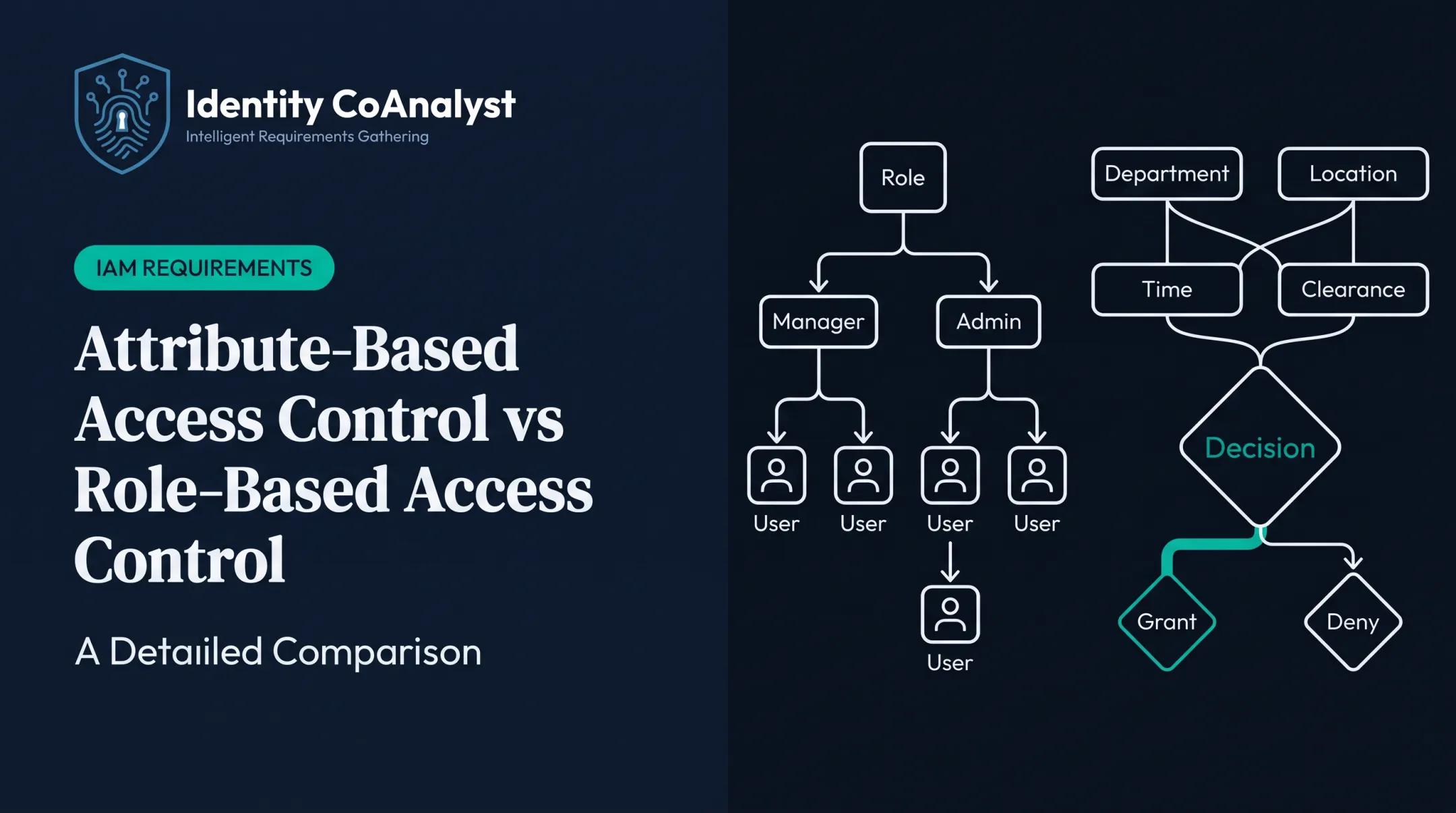
A role is a business-aligned bundle of access, built around a job function, department, or persona rather than a single system. NIST defines RBAC as a model where permitted actions are tied to roles rather than individual user identities, with permissions often inherited through a role hierarchy.
The practical upside shows up most clearly during onboarding. Instead of assigning 40 individual entitlements to a new hire, you assign one role. NIST's RBAC project notes that per-user access administration is costly and error-prone. RBAC lowers that cost by managing access at the organizational level rather than user by user.
Core benefits:
- Streamlines onboarding — one role replaces dozens of manual assignments
- Improves consistency across employees in similar positions
- Maps cleanly to how the business actually thinks about jobs
Terminology varies here too. Some teams distinguish business roles (built around job titles) from IT/technical roles (built around system permissions), though this split isn't standardized across platforms — check how your specific IGA tool handles it.
Use Cases of Roles
Common role use cases include:
- New-hire onboarding — one role assignment instead of a checklist of permissions
- Mover/leaver processes — swapping roles when someone changes departments
- Org-wide standardization — making sure every "Sales Manager" has identical access
Example: A "Regional Sales Manager" role might bundle three access profiles: CRM access, email/collaboration tools, and expense-reporting system access. One assignment, three systems covered.

Access Profiles vs Roles: Which Is Better for Your Business?
There's no universal winner. Weigh these factors instead:
- Number of applications in your portfolio
- Regulatory environment and how granular your audits need to be
- Team size and how many distinct job functions exist
- Existing IAM/IGA maturity (starting fresh vs. retrofitting)
Choose access profiles when governance needs to stay tightly scoped to specific systems, such as a single-application rollout or a narrow compliance requirement. Choose roles when business users need simplified, job-aligned provisioning across multiple systems at once.
Most enterprises land somewhere in between: roles built from multiple access profiles, giving business users simplicity while keeping technical granularity underneath for audits. SailPoint's own documentation confirms that standard roles can group entitlements and access profiles together and provision based on assignment criteria. The two models work as complementary layers, not competing choices.
The Real Bottleneck: Requirements, Not the Model
Here's what actually trips up most teams. It's rarely the model choice itself. It's gathering accurate requirements about what should go inside each role or profile before anyone starts configuring anything.
Skip this step and you get vague role definitions, contradictory stakeholder answers, and a mess that surfaces mid-implementation, when it's expensive to fix.
Identity CoAnalyst, built by CTI Global, is a requirements-gathering platform with more than 500 practitioner-written questions across 11 identity domains. That includes a dedicated RBAC & Role Management domain covering role definitions, assignment modes, role mining, and entitlement mapping.
Instead of starting from a blank page, teams get:
- Distinguishes role-based requests from individual application access with structured questions
- Surfaces follow-ups through branching logic, including segregation-of-duties conflicts and high-risk role approvals
- Flags cross-stakeholder contradictions before they become implementation surprises
Traditional discovery through interviews and spreadsheets tends to run 8-16 weeks. Identity CoAnalyst compresses that same process to under 10 days, which matters most when you're trying to nail down the boundary between "this belongs in a profile" and "this belongs in a role" before anyone touches a configuration console.

Real-World Example: Faster Provisioning Through Better Access Design
University Hospitals automated its EHR access provisioning and cut onboarding time from 5-7 days down to 2-4 hours. That result comes from access models (profiles, roles, or both) defined clearly enough that automation can act without manual intervention.
The lesson generalizes well beyond healthcare. If your access reviews are dragging into weeks, or new hires wait days for basic system access, the underlying access model is probably part of the problem. Tightening up profile and role definitions, and documenting them accurately before implementation, is usually the fix.
If your audits are taking weeks instead of days, that's a strong signal your access model needs a second look.
Conclusion
Neither access profiles nor roles are universally better. The right choice depends on your organization's complexity, compliance obligations, and how cleanly access decisions map to actual business functions.
What holds across mature identity programs is simpler: well-designed access models cut audit prep time, reduce over-provisioning, and speed any IGA or IAM rollout. That outcome starts with accurate requirements—not with picking a side in the profiles-versus-roles debate.
Frequently Asked Questions
What are access profiles?
Access profiles are groupings of related entitlements from a single source or application, used to assign and certify access at a more manageable, granular level. They make it easier to trace exactly why someone has access to a specific system.
Can a role contain multiple access profiles?
Yes. Roles are typically built by bundling multiple access profiles across different applications, giving one assignment that covers access to several systems at once. This is common for job-function-based provisioning.
Do all IGA platforms use the term "access profile"?
No, terminology varies by platform. SailPoint uses "access profiles," while other vendors may refer to similar concepts as permission sets or entitlement bundles.
How do I decide whether to build roles or access profiles first?
Start with access profiles for each application, then layer business roles on top once you understand what access each system actually requires. This bottom-up approach keeps role design grounded in real system permissions.
What is role explosion and how do I avoid it?
Role explosion happens when the number of roles grows uncontrollably, often from overly specific or overlapping role definitions. Tighter requirements gathering upfront, plus regular role review, helps keep the role count manageable.
How does requirements gathering affect role and access-profile design?
Incomplete or vague requirements lead directly to redesign work after implementation has already begun. Platforms like Identity CoAnalyst help capture complete, implementation-ready requirements before configuration starts, reducing that rework.